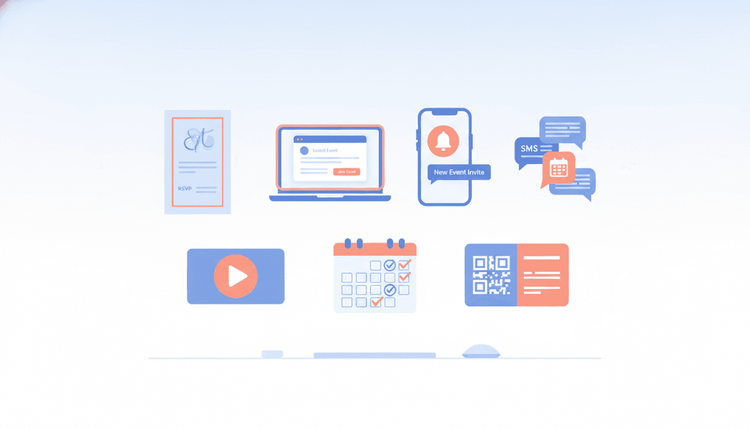
Every event starts with an invitation. The format you choose shapes first impressions, sets expectations, and directly affects how many people show up. In 2026, event organizers have more invitation options than ever, from classic printed cards to AI-powered scheduling links. Picking the right type saves you time, boosts RSVPs, and keeps your planning stress-free.
What Are Event Invitations and Why Do They Matter?
An event invitation is your first conversation with potential guests. It tells them the who, what, when, where, and why of your gathering. But a great invitation does more than share details. It builds excitement, signals the right level of formality, and makes responding easy.
The average person now receives 15+ event invitations per month across email, social media, and messaging apps. With that much noise competing for attention, your invitation needs to stand out. Research shows that well-matched invitations (where the format fits the event) increase attendance rates by up to 40% compared to generic messages.
The key? Match your invitation type to your audience, budget, and event style. Here are the seven types every organizer should know.
7 Types of Event Invitations You Should Know
Each invitation type has strengths and trade-offs. The best organizers pick the format that fits their event goals. Here is a breakdown of all seven, with examples and practical tips.
Formal Printed Invitations
Printed invitations carry weight that digital messages cannot replicate. A physical card in someone's hands creates a tangible connection to your event. Weddings, galas, corporate award dinners, and milestone celebrations all benefit from this classic format.
When to use them: Events where tradition, elegance, or prestige matters. If guests will dress up, your invitation should feel special too.
What to include:
- Full event name and host
- Date, time (with time zone), and venue address
- Dress code and any protocols
- RSVP deadline and response method
- Special instructions (parking, dietary form, security)
Pro tip: Pair printed invitations with a QR code that links to an online RSVP page. You get the elegance of paper with the convenience of digital tracking.
Cost range: $2 to $10+ per invitation depending on paper quality, printing method, and finishing details like embossing or foil stamping.
Digital Email Invitations
Email invitations remain the workhorse of event planning. They are fast, free (or low-cost), and easy to track. You can embed RSVP buttons, add calendar links, and reach hundreds of guests instantly.
When to use them: Professional events, community gatherings, workshops, and any event where you need speed and scale. Email works well for audiences who check their inbox regularly.
What to include:
- Clear, compelling subject line
- All event details in a scannable layout
- One-click RSVP button
- Calendar integration link
- Mobile-friendly design
2026 update: Modern email invitations now support embedded polls for date preferences and live attendee counters. These features cut down the back-and-forth that slows planning.
If you need creative ideas for your next group event, start by choosing the invitation format that matches your audience.
Social Media Event Invitations
Social platforms have become powerful event tools. Facebook Events, Instagram Stories, LinkedIn Events, and community Discord servers let you reach people where they already spend time. Social invitations also create built-in buzz through shares, comments, and reactions.
When to use them: Public events, community meetups, networking sessions, and casual gatherings where viral reach matters. Social invitations work best when you want attendees to spread the word organically.
What to include:
- Eye-catching cover image or short video
- Event details (date, time, location, link)
- Clear call-to-action ("Mark Going" or "RSVP here")
- Hashtag for event discussion
- Regular updates to keep the event visible
Pro tip: Post countdown reminders in the days leading up to your event. Social media algorithms favor active event pages, so regular updates keep your invitation at the top of feeds.
Text / SMS Invitations
Text messages have a 98% open rate, far above email's 20-30%. For small groups and time-sensitive events, SMS invitations cut through the noise like nothing else. They land directly on the lock screen, and most people read them within three minutes.
When to use them: Small-group events (under 30 people), last-minute gatherings, reminders for upcoming events, and any situation where you need a fast response.
What to include:
- Brief, friendly message (under 160 characters if possible)
- Essential details only (what, when, where)
- Quick reply option ("Reply YES to confirm")
- Link to full details or RSVP page if needed
Important: Only text people who expect to hear from you. Unsolicited mass texts feel spammy and can hurt your reputation. Save SMS invitations for close contacts, team members, and people who have opted in.
Video Invitations
Video invitations bring personality and energy that text alone cannot match. A 30-to-60-second video from the host creates a personal connection and builds anticipation. In 2026, video invitations have become easier to create with smartphone tools and simple editing apps.
When to use them: Events where personality matters. Product launches, birthday parties, team celebrations, and creative gatherings all benefit from video. They also work well for remote or hybrid events where attendees need a visual preview of what to expect.
What to include:
- Personal greeting from the host (15-30 seconds)
- Key event details shown on screen
- The energy and vibe of the event
- Clear CTA with a link to RSVP
- Captions for accessibility
2026 update: Short-form video invitations (under 60 seconds) shared on social platforms now generate 3x more engagement than static image posts. Keep your video concise, energetic, and authentic.
Looking for fresh event planning ideas for every occasion? Pair a creative concept with a video invitation for maximum impact.
Group Scheduling Invitations
Group scheduling invitations solve the hardest part of event planning: finding a date and time that works for everyone. Instead of picking a date and hoping people show up, you ask participants to share their availability first, then lock in the best option.
When to use them: Any multi-person event where attendance from specific people matters. Team offsites, family reunions across time zones, committee meetings, friend group trips, and recurring social events all need this approach.
What to include:
- Proposed date range or time options
- Easy availability-marking tool
- Automatic conflict detection
- Response deadline
- Final confirmation message once the date is set
This is where WhenNOT makes scheduling effortless. Instead of asking everyone when they are free (which creates endless back-and-forth messages), WhenNOT flips the question: participants mark only the dates they are NOT available. The best date becomes obvious in minutes, not days. No more group chat chaos or 30-email threads just to find one evening that works.
For tips on tracking who is coming and reducing no-shows, check out this guide on event RSVP management.
Hybrid Invitations (Print + Digital)
Hybrid invitations combine the best of both worlds. You send a beautiful printed card for the wow factor, backed by a digital component for easy RSVPs, updates, and sharing. This approach works for events that deserve a premium feel without sacrificing modern convenience.
When to use them: Weddings, corporate galas, milestone birthdays, fundraisers, and any event where you want guests to feel the invitation's importance while still managing logistics digitally.
What to include:
- Printed card with core event details and a personal touch
- QR code or short URL linking to a digital RSVP page
- Online event page with additional details, maps, and FAQs
- Digital reminder sequence (email or text) as the event approaches
- Option for guests to add the event to their calendar from the digital page
Pro tip: Design the printed and digital elements as a cohesive set. Use the same colors, fonts, and imagery so the experience feels seamless from mailbox to inbox.
Comparison Table: Invitation Types by Cost, Formality, and Response Rate
| Invitation Type | Cost Per Invite | Formality | Typical Response Rate | Best Lead Time | Ideal Group Size |
|---|---|---|---|---|---|
| Formal Printed | $2-$10+ | High | 60-75% | 4-8 weeks | 20-200 |
| Digital Email | Free-$1 | Low-Medium | 25-40% | 1-4 weeks | 10-1,000+ |
| Social Media | Free | Low | 15-30% | 1-3 weeks | 50-10,000+ |
| Text / SMS | Free-$0.05 | Low | 70-85% | Hours-2 weeks | 5-30 |
| Video | Free-$50 | Medium | 35-50% | 1-4 weeks | 10-500 |
| Group Scheduling | Free | Varies | 80-90% | 1-4 weeks | 5-50 |
| Hybrid (Print + Digital) | $3-$15+ | High | 65-80% | 4-8 weeks | 20-300 |
Key takeaway: SMS and group scheduling invitations get the highest response rates. Social media invitations reach the most people but have the lowest response rate per person. For high-stakes events, hybrid invitations offer the best mix of impact and tracking.
How to Choose the Right Invitation Type for Your Event
Picking the right format comes down to five questions:
-
How formal is the event? Galas, weddings, and executive dinners need printed or hybrid invitations. Casual meetups and team events work great with digital or text invitations.
-
How many people are you inviting? Large audiences (100+) benefit from email or social media invitations with built-in tracking. Small groups (under 30) can use text or group scheduling tools.
-
Do you need a firm headcount? If catering, seating, or materials depend on exact numbers, use invitations with strong RSVP tracking like email forms or group scheduling tools.
-
Is the date already set? If yes, send a standard invitation. If the date is flexible, start with a group scheduling invitation to find the best time before sending the official invite.
-
What is your budget? Free options (email, social, SMS, scheduling tools) work for most events. Reserve printed and hybrid invitations for occasions that justify the cost.
A smart workflow: Use a group scheduling tool first to lock in the date, then send the formal invitation in whatever format fits your event. This two-step approach prevents the "we already sent invitations but need to change the date" problem.
2026 Trends in Event Invitations
The invitation landscape keeps evolving. Here are the trends shaping how organizers communicate with guests right now:
AI-assisted personalization. Smart tools now customize invitation messages based on the recipient's relationship to the host, past attendance patterns, and communication preferences. A board member gets a formal tone. A close friend gets a casual one. Same event, different feel.
Availability-first invitations. More organizers are flipping the traditional approach. Instead of "here is the date, can you come?" they start with "when can you come?" and set the date based on group availability. Tools like WhenNOT make this approach fast and painless.
Micro-video invitations. Short-form video (15-30 seconds) has replaced long video messages. Quick, authentic clips from the host outperform polished productions in both open rates and RSVPs.
Sustainability-driven choices. Digital-first invitations are now the default for eco-conscious organizers. When printed invitations are necessary, recycled materials and plantable seed paper are trending.
Integrated RSVP ecosystems. The best invitations in 2026 connect directly to calendar apps, travel planning tools, and group chat platforms. Guests RSVP once, and every system updates automatically.
Tips for Getting More RSVPs from Your Invitations
No matter which invitation type you choose, these strategies boost your response rate:
Lead with the "why." People are selective about their time. Answer "why should I come?" before "here is the address." A compelling reason to attend beats a beautiful design every time.
Make responding take under 10 seconds. One-click RSVPs, emoji reactions, and pre-filled forms reduce friction. Every extra step you add to the RSVP process costs you attendees.
Send at the right time. For professional events, Tuesday and Wednesday mornings see the highest open rates. For social events, Thursday evenings work best. Avoid Monday mornings and Friday afternoons.
Follow up once, not five times. One reminder 3-5 days before the RSVP deadline is ideal. Two reminders maximum. After that, a personal message to key attendees works better than another mass blast.
Remove the date-finding friction. The number-one reason people do not RSVP? They are not sure the date works. When you use WhenNOT to find a date that works for your group before sending invitations, you remove that hesitation entirely. Guests already know the date fits their schedule, so they respond faster.
Include accessibility information. Mention wheelchair access, dietary options, virtual attendance alternatives, and parking details. Inclusive invitations lead to higher attendance across the board.
Match the channel to the audience. Email for professional events. Group chats for friends. A mix of both for community events. Knowing the best hours for focused work can also help you time your invitations so they land when people are most likely to read and respond.
If your event involves travel, smart timing strategies help attendees plan their trips without the stress of rush-hour commutes or overpriced flights.
FAQ
What are the 7 types of event invitations?
The seven types are formal printed invitations, digital email invitations, social media event invitations, text/SMS invitations, video invitations, group scheduling invitations, and hybrid invitations that combine print and digital. Each type works best for different event sizes, budgets, and formality levels.
Which type of event invitation gets the best response rate?
Group scheduling invitations and text/SMS invitations get the highest response rates, typically 70-90%. Group scheduling tools achieve high response rates because participants actively choose a date that works for them. SMS invitations benefit from a 98% open rate and near-instant delivery.
How far in advance should I send event invitations?
Formal printed and hybrid invitations need 4-8 weeks of lead time. Digital email invitations work well with 1-4 weeks. Social media and video invitations need 1-3 weeks. Text/SMS invitations can go out hours to 2 weeks before the event. For group scheduling, start 2-4 weeks early to give everyone time to share their availability.
How do I find a date that works for everyone in a group?
Use a group scheduling tool like WhenNOT where participants mark only the dates they are NOT available. This approach works faster than asking everyone to list their free dates because people find it easier to identify conflicts. The best available date surfaces automatically, saving hours of back-and-forth messages.
Are printed invitations still relevant in 2026?
Yes, printed invitations still matter for formal and high-stakes events like weddings, galas, and executive dinners. They create a tangible, memorable first impression that digital formats cannot replicate. Many organizers now use hybrid invitations that combine a printed card with a digital RSVP system for the best of both worlds.
What is a hybrid invitation?
A hybrid invitation pairs a physical printed card with a digital component like an online RSVP page, QR code, or event website. Guests receive a premium tangible invitation while the organizer benefits from digital tracking, easy updates, and automated reminders. Hybrid invitations typically achieve 65-80% response rates.
How can I increase RSVPs for my event invitations?
Focus on three things: make responding take under 10 seconds with one-click RSVP buttons, send invitations at optimal times (Tuesday-Wednesday mornings for professional events, Thursday evenings for social events), and remove date uncertainty by using a group scheduling tool to find a date that works for your group before sending the official invitation.
Ready to schedule your next group event without the headache? Find the perfect dates in minutes with WhenNOT.