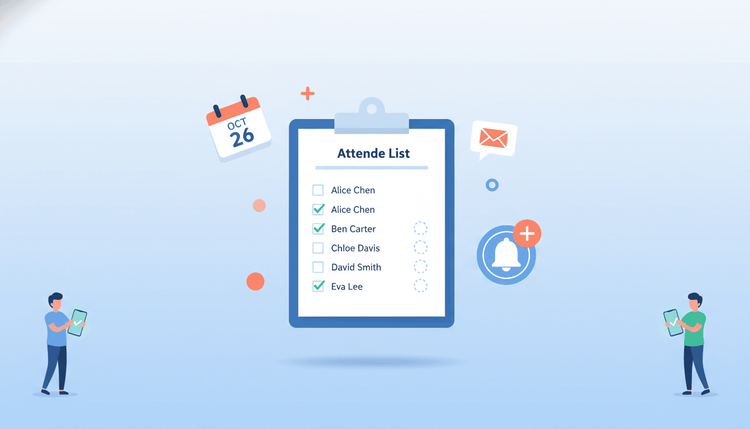
Why RSVP Management Makes or Breaks Your Event
Quick answer: Your RSVP process determines your budget, venue size, catering order, and overall event experience. Get it wrong, and you waste money or leave guests without seats.
Every event decision depends on knowing who will show up. Your catering order, seating chart, venue booking, and staffing plan all start with one number: confirmed attendees. When your RSVP tracking falls apart, the ripple effects hit every line item in your budget.
Studies show that no-show rates for free events can reach 30% to 50%. Even paid events see 5% to 15% of ticket holders skip out. That gap between "yes" and "actually there" costs organizers thousands of dollars in wasted food, unused space, and overstaffing.
Strong event RSVP management gives you accurate data early. You can adjust plans, send reminders, and make confident decisions instead of guessing. Whether you are planning a corporate offsite, a wedding, or a neighborhood meetup, your RSVP system sets the foundation for everything else.
Common RSVP Problems (and How to Fix Them)
Quick answer: Most RSVP headaches come down to three issues: people ignoring your invite, changing their minds at the last minute, or giving vague answers that wreck your headcount.
Low Response Rates
You sent the invitation. Crickets. Low response rates happen when invitations get buried in inboxes, lack urgency, or make it hard to respond.
Fix it:
- Send invitations through multiple channels (email plus a group chat link)
- Keep the RSVP action to one click or tap
- Set a clear deadline and state it in the first two lines
- Follow up once, three to five days before the deadline
Last-Minute Cancellations
Nothing derails event planning like a wave of cancellations 48 hours before the event. This often happens when guests commit too early without checking their calendars, or when there is no cost to backing out.
Fix it:
- Ask guests to confirm availability for specific dates rather than a vague "are you in?"
- Send a confirmation reminder one week out
- For paid events, set a cancellation cutoff tied to your vendor deadlines
- Use a scheduling tool that lets guests pick dates that actually work for them
Miscounted Headcounts
"I'm bringing my partner." "Actually, make that four of us." Vague RSVPs lead to surprise guests or empty chairs. When your RSVP form does not ask the right questions, your headcount becomes a rough guess.
Fix it:
- Always include a "number of guests" field
- Ask about dietary restrictions or accessibility needs upfront
- Lock responses after your deadline so the numbers stop shifting
- Use a tool that tracks responses in real time so you always see the current count
5 RSVP Methods Compared
Quick answer: Each RSVP method has trade-offs between ease of use, response rates, and tracking accuracy. Scheduling tools and structured forms give the best results for most events.
| Method | Response Rate | Tracking Ease | Best For | Limitations |
|---|---|---|---|---|
| Low to medium | Hard (manual counting) | Formal events, small guest lists | Replies get lost in threads | |
| Google Forms | Medium | Moderate (spreadsheet export) | Surveys, large events with data needs | No built-in reminders |
| Social Media Events | Low | Very hard (inflated "interested" counts) | Casual public events | "Interested" does not mean "attending" |
| Scheduling Tools | High | Easy (automatic tallying, real-time updates) | Group events, team activities, multi-date coordination | Requires guests to use the tool |
| Paper Invites | Medium to high | Very hard (manual tracking) | Weddings, formal galas | Slow, no automation, expensive |
Scheduling tools stand out because they combine date coordination with RSVP tracking. Instead of asking "can you come?" and then separately asking "which date works?", you handle both in one step. Tools like WhenNOT let you create a poll where guests pick their available dates, and you instantly see which option works for the most people.
How to Write RSVP Messages That Get Responses
Quick answer: The best RSVP messages are short, specific, and make responding effortless. Lead with the key details and put the response link front and center.
Your invitation copy matters more than you think. A well-written RSVP request can double your response rate compared to a generic "please let us know" email.
Start with the essentials. Put the event name, date, location, and purpose in the first three lines. People skim, so front-load the information they need to make a decision.
Make the ask specific. Instead of "Let me know if you can make it," try: "Please confirm by June 15 whether you can join us on June 28 at 6 PM." Specific asks get specific answers.
Keep it to one action. Every extra step between reading the invite and responding is a chance for the guest to close the tab. One link. One click. Done.
Add social proof when appropriate. "12 people have already confirmed" creates gentle urgency without pressure.
Sample RSVP message:
Hi [Name],
You are invited to our summer team gathering on July 12 at Riverside Park.
Please confirm your attendance by June 28: [RSVP Link]
If you have dietary restrictions or accessibility needs, note them when you respond.
Looking forward to seeing you there!
For more tips on crafting the right invitation for your event type, check out our guide to essential types of event invitations.
Setting RSVP Deadlines That Work
Quick answer: Set your RSVP deadline 7 to 14 days before the event for most gatherings, and 4 to 6 weeks before for weddings or large catered events. Always tie the deadline to a vendor commitment.
The right RSVP deadline balances two things: giving guests enough time to check their schedules and giving you enough time to act on the data.
Tie deadlines to real constraints. Your caterer needs a final headcount by Tuesday? Your RSVP deadline is the Friday before. When deadlines connect to actual consequences, they carry more weight.
Use tiered deadlines for large events. For events with 100+ guests, set an early-bird deadline (with a small perk) and a final deadline. This gives you preliminary numbers for planning while still capturing late responders.
Recommended timeline:
- Casual gathering (10 to 30 people): 5 to 7 days before
- Corporate event or team outing: 10 to 14 days before
- Wedding or formal gala: 4 to 6 weeks before
- Conference or multi-day event: 3 to 8 weeks before
Communicate the deadline clearly. State it in the subject line, the body of the invite, and the reminder. Vague phrases like "RSVP soon" do not work. "Please respond by June 20" does.
Using Scheduling Tools to Automate RSVP Tracking
Quick answer: Scheduling tools eliminate manual RSVP tracking by collecting responses, sending reminders, and showing real-time attendance data in one place.
Manual RSVP tracking works for a dinner party of eight. It falls apart for a team retreat of forty or a community event of two hundred. That is where scheduling tools earn their place in your event planning workflow.
What a good scheduling tool handles for you:
- Sends one link that guests use to confirm attendance and select preferred dates
- Shows you a real-time dashboard of who responded, who has not, and which dates work best
- Sends automatic reminders to non-responders
- Exports your final guest list when you need it
WhenNOT takes this a step further. Instead of just asking "are you coming?", WhenNOT helps you find the date that works for everyone first. When guests pick the dates they are available, you reduce conflicts before they happen. Fewer conflicts mean fewer cancellations and fewer no-shows.
You can also integrate WhenNOT with tools your team already uses. If your group lives in Slack, the WhenNOT Slack integration lets you create and manage event polls without leaving the conversation.
Tips to Reduce No-Shows by Up to 40%
Quick answer: Combine reminders, social accountability, and smart scheduling to cut your no-show rate significantly. The biggest factor is choosing a date that genuinely works for your guests.
No-shows are not just rude. They are expensive. Here are seven proven tactics to bring your no-show rate down:
-
Pick the right date first. The number one reason people skip events is scheduling conflicts. Use a date-finding tool to choose a time when most guests are genuinely free, not just the date that works for the organizer.
-
Send three reminders. One week before, two days before, and the morning of the event. Keep them short: event name, time, location, and a "see you there" message.
-
Create social accountability. Share the guest list (with permission) or post updates like "24 people confirmed for Saturday!" When people know others are counting on them, they show up.
-
Lower the commitment barrier. For casual events, make it easy to bring a friend. For professional events, offer virtual attendance as a backup. Flexibility reduces last-minute drops.
-
Confirm, do not just invite. After the RSVP deadline, send a "you are confirmed" message with logistics. This shifts the guest's mindset from "maybe" to "I said I would be there."
-
Add a small stake. For free events, ask attendees to contribute something: bring a dish, volunteer for setup, or commit to a carpool. Even tiny investments increase follow-through.
-
Overbook strategically. If your no-show history says 20% will bail, invite 20% more. Just make sure your venue and catering can flex.
The common thread here is preparation. When you plan your event timing around your guests' real availability, attendance goes up naturally.
FAQ
What does RSVP stand for?
RSVP stands for "Repondez s'il vous plait," a French phrase that translates to "Please respond." It is a request for the invited guest to confirm whether they will attend the event.
How far in advance should I send RSVP invitations?
For casual events, two to three weeks is enough. For weddings and large formal events, send invitations six to eight weeks in advance. Corporate events and conferences typically need three to six weeks of lead time.
What is a good RSVP response rate?
A response rate of 70% or higher is considered good for most events. Rates below 50% usually signal a problem with your invitation timing, clarity, or delivery method. Using multiple channels and clear deadlines can push your rate above 80%.
How do I handle guests who do not RSVP?
Follow up once with a personal message or phone call. If you still get no response, do not count them in your headcount. For important events, you can set a "no response means no" policy and state it clearly in the original invitation.
Can I track RSVPs without using a spreadsheet?
Yes. Scheduling tools like WhenNOT automatically track responses and show you real-time attendance numbers. This eliminates manual data entry and reduces errors compared to managing a spreadsheet by hand.
What is the best way to reduce event no-shows?
The most effective approach combines three strategies: choosing a date that works for most attendees (not just the organizer), sending timely reminders, and creating light social accountability. Events where guests helped pick the date see significantly lower no-show rates.
Should I require RSVPs for free events?
Absolutely. Free events tend to have the highest no-show rates (30% to 50%), which makes RSVP tracking even more important. Requiring a response helps you estimate turnout and plan accordingly, even if some people still skip.
Ready to schedule your next group event without the headache? Find the perfect dates in minutes with WhenNOT.